
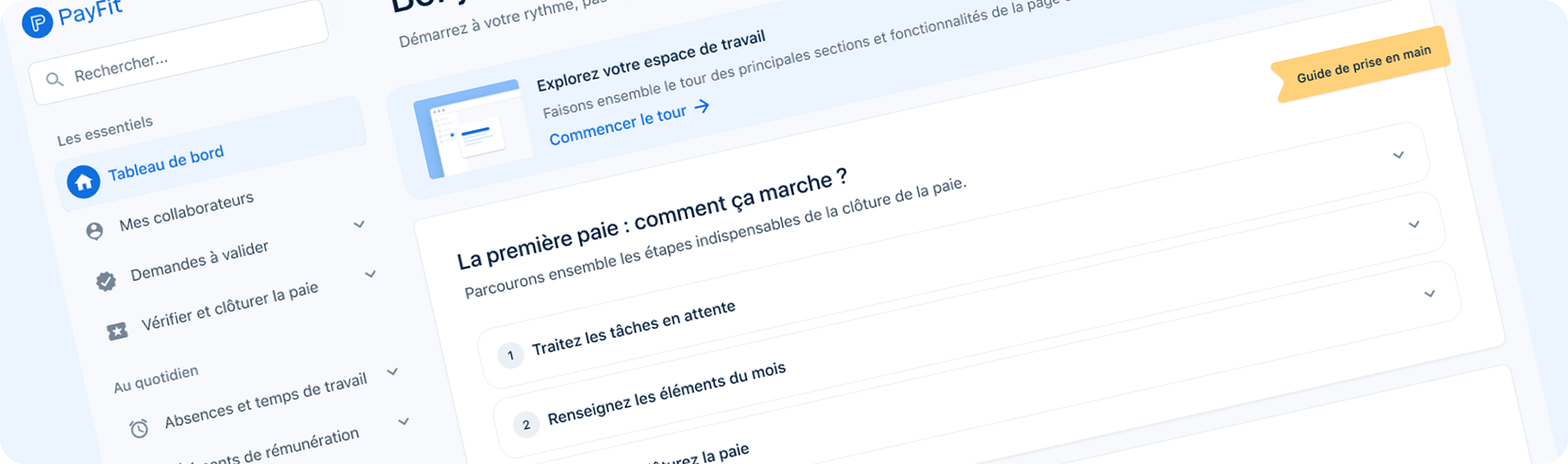
A redesigned dashboard tailored
for the first time use
Challenge: New payroll admins were lost on a generic dashboard, with little payroll knowledge.
My role: Designed it end to end with another designer: sketches, low-fi, final UI and delivery to users.
Outcome: Shipped to new customers while I was at PayFit. Another team has since iterated on it.
Given the global business strategy and our starting point when it comes to our admin dashboard experience, there's plenty of room for our team to rethink the experience an admin should get when they first start using the app.
Note: the product is French-speaking, so some screens appear in French.
The context
After our research, we found a problem: when users first open the Payfit app, they're confused by the generic dashboard, which has too much information and doesn't help them know where to start.
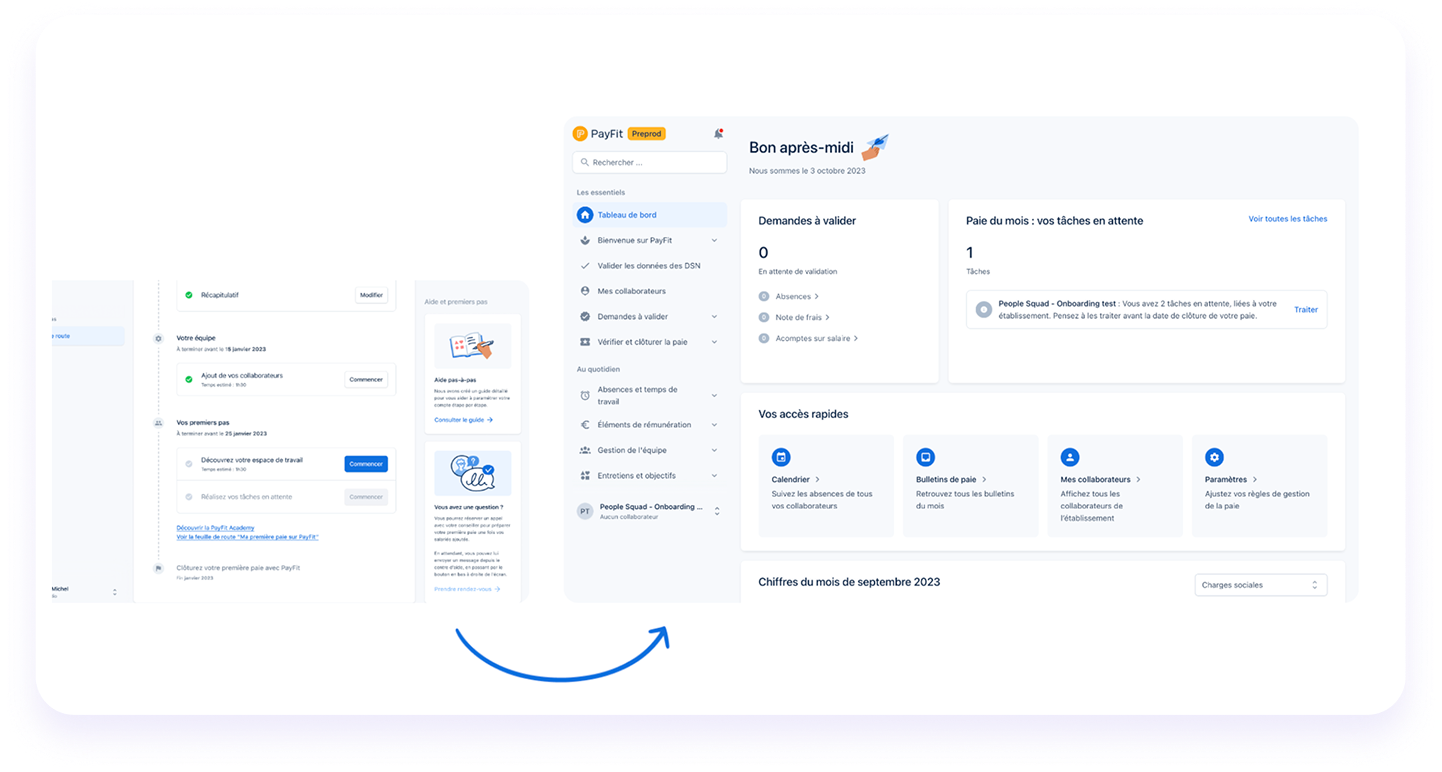
FACT 1
Once customers have received their login access, they will discover the app on their own.
FACT 2
These admins have very little knowledge of payroll and rely heavily on PayFit to automate their payroll.
FACT 3
A majority don’t take the time to educate themselves on PayFit Academy or Payroll.
FACT 4
Admins struggle to perceive what’s expected from them and what’s taking care of by PayFit to Run Payroll.
FACT 5
Customer support tickets shows most top cases come from basic knowledge such as : add/edit employee, absences...
FACT 6
Admins are only focusing on how to run Payroll the first month. They’re mind is not opened to HRIS features yet.
Outline the main points
From our discovery, our main priorities are to improve the landing and welcome the user. Removing the maximum of noises and push to the users the main informations to know and the main actions to do during the first months.
In order to achieve their big goal : to do their first payroll and distribute all the payslips of their employees without error.
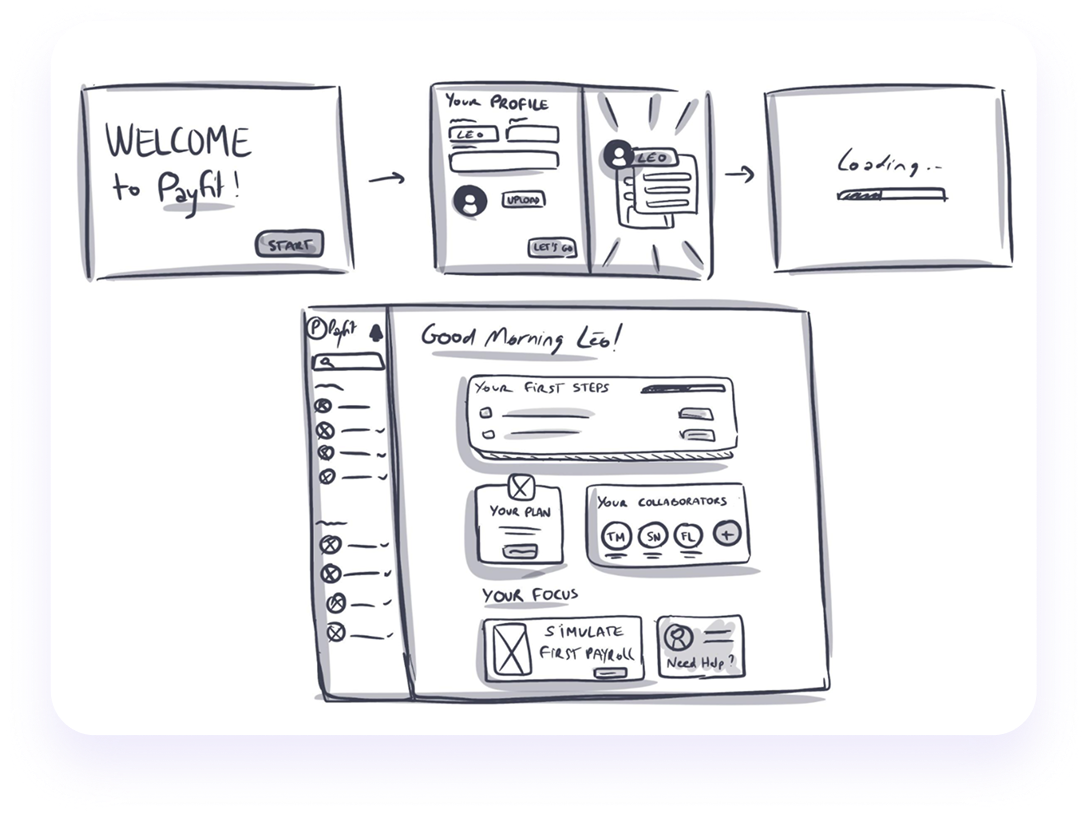
Create the user journey in low-fidelity
I worked in tandem with another designer to thoroughly lay out ideas and structure them in wireframe form. We went through several iterations until we had an MVP version ready to be tested internally.
The solution
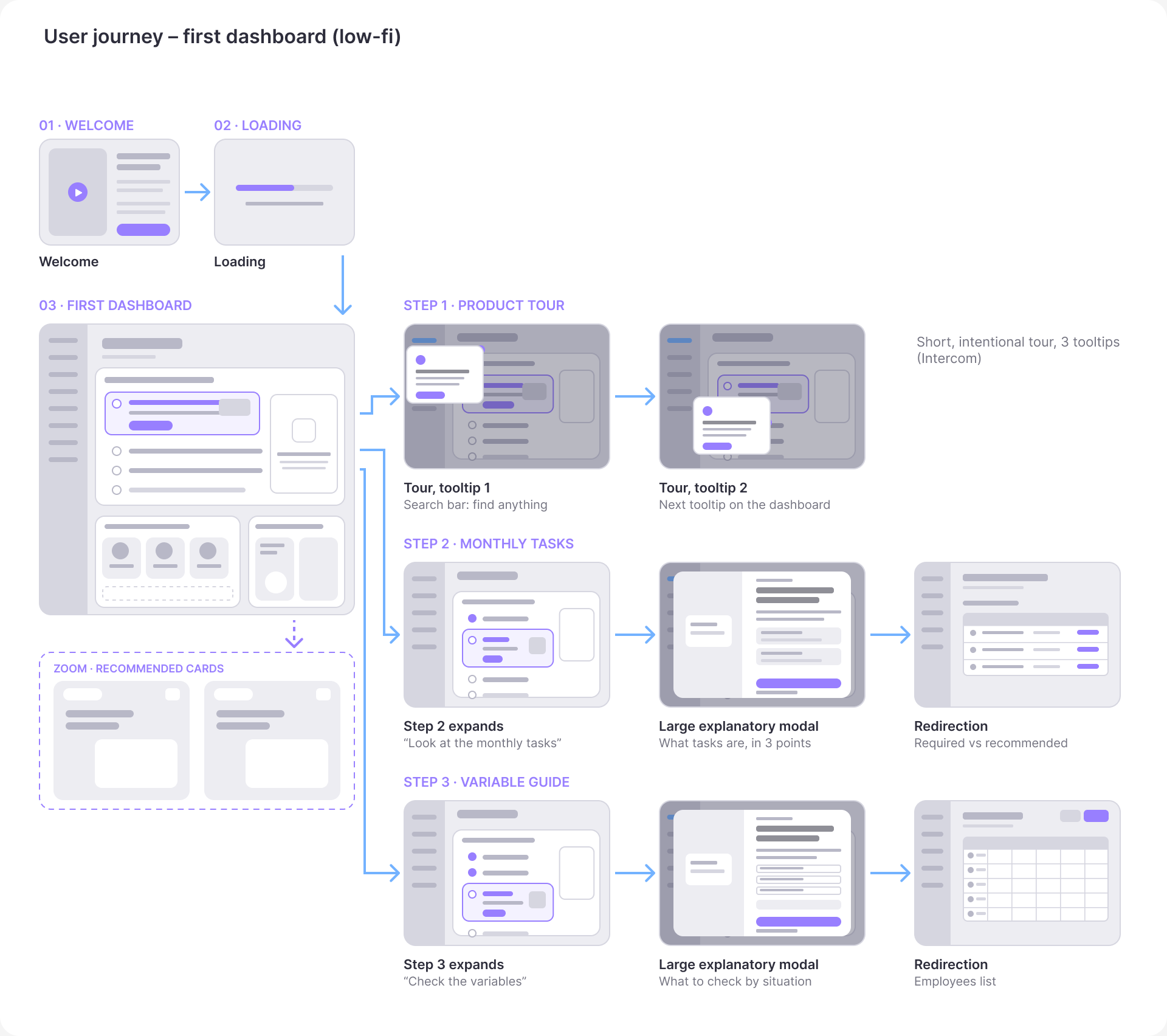
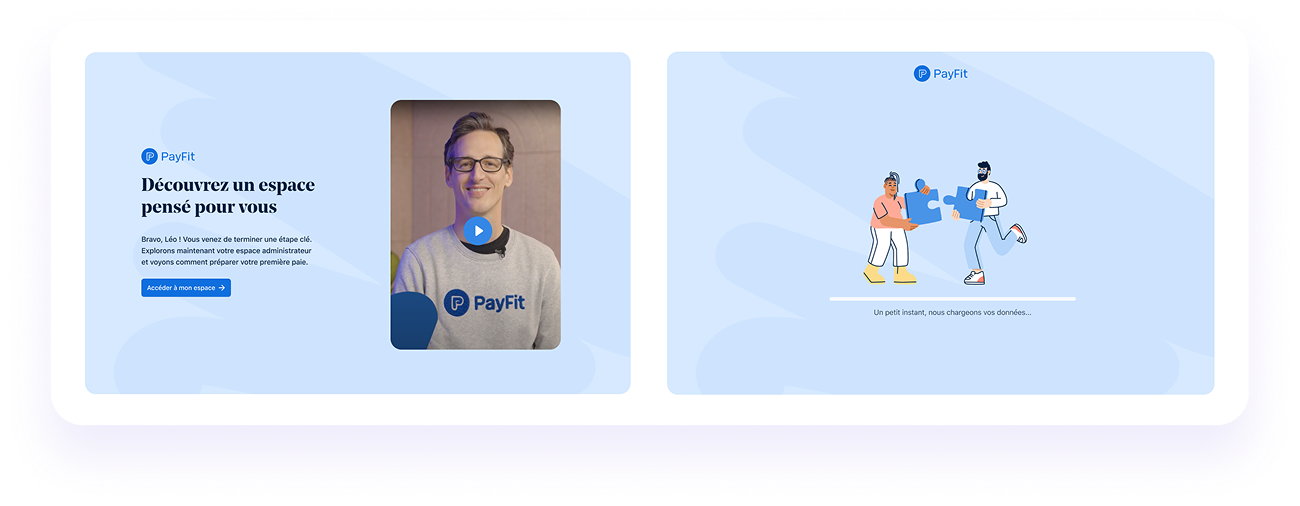
Warm welcome the users for their first time
The users have the access of the PayFit app after completing their set up. It was essential to set the context and display the welcome elements to them.
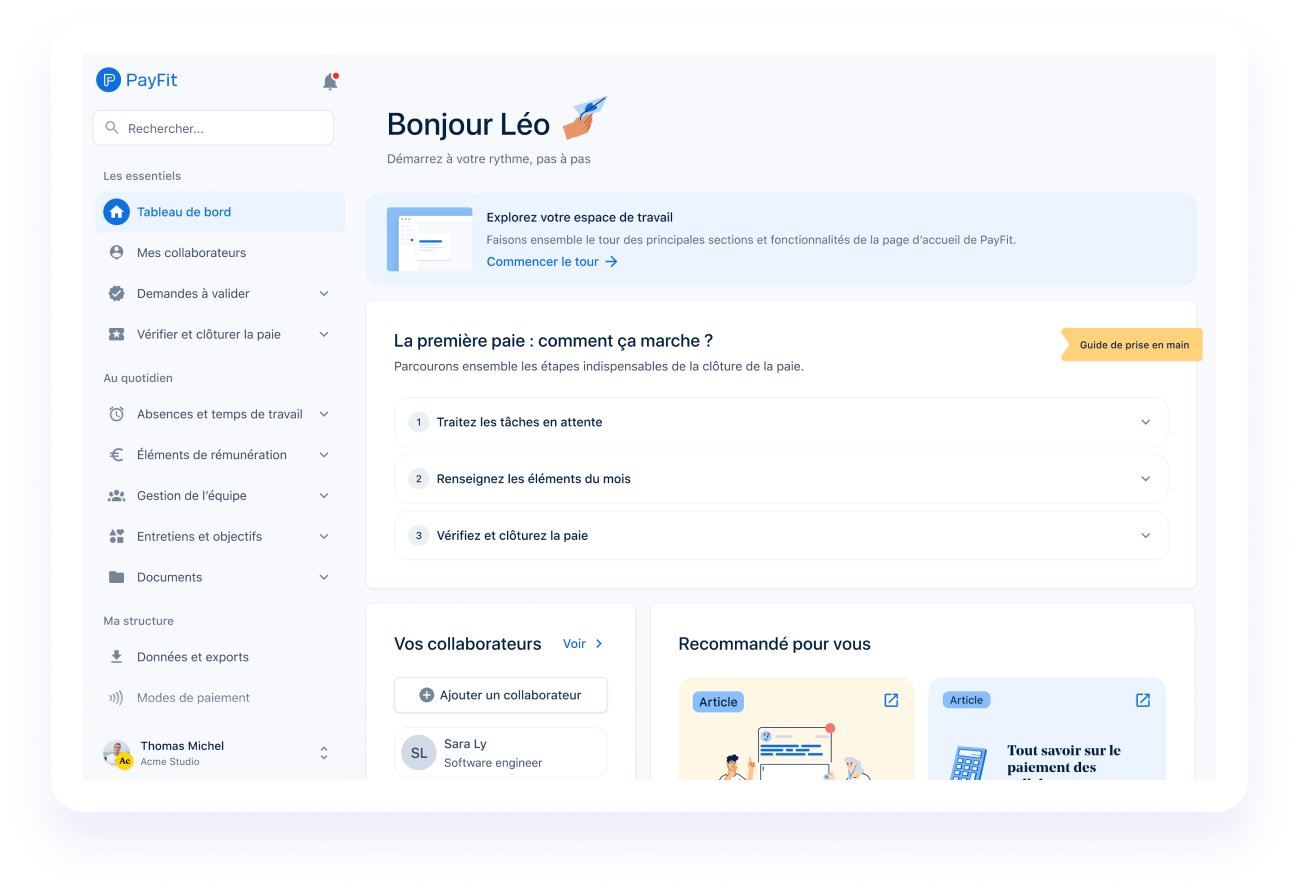
The first dashboard following the context
New and temporary dashboard for the period of the first payroll to guide the user meticulously.
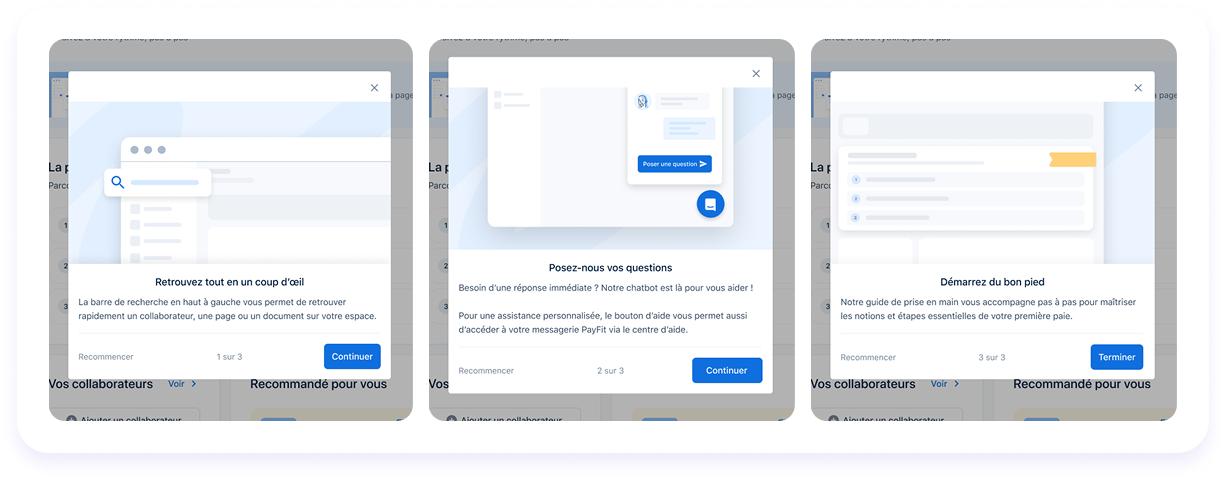
The product tour
Short an intentional product tour within the given context thanks to Intercom.
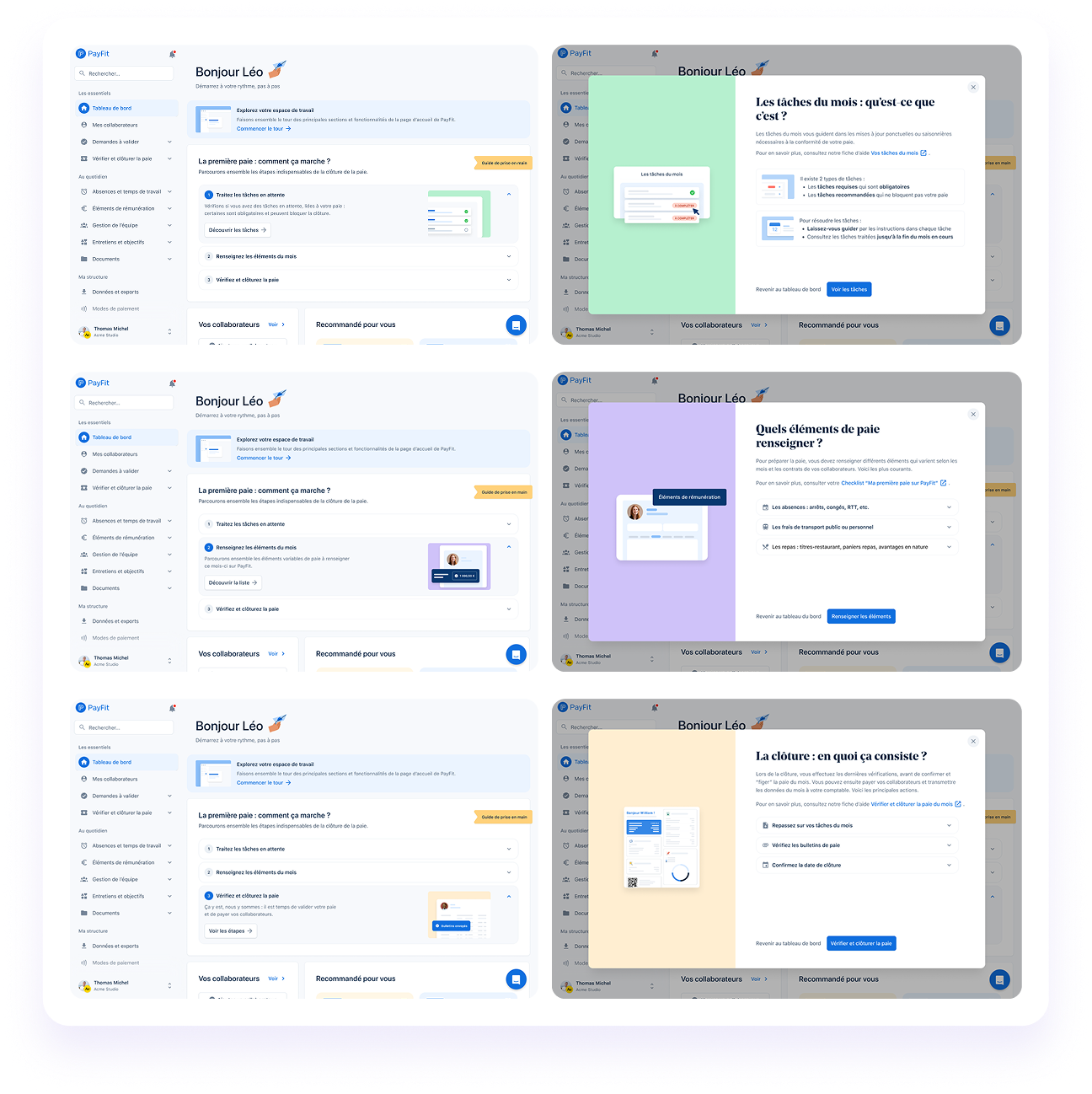
The Payroll guide
New element on the dashboard to guide the users by pushing steps and main actions to do, to well-prepare their first payroll.
Three main steps to know :
- Solve the monthly tasks
- Complete the pay elements (variables)
- Verify and close payroll
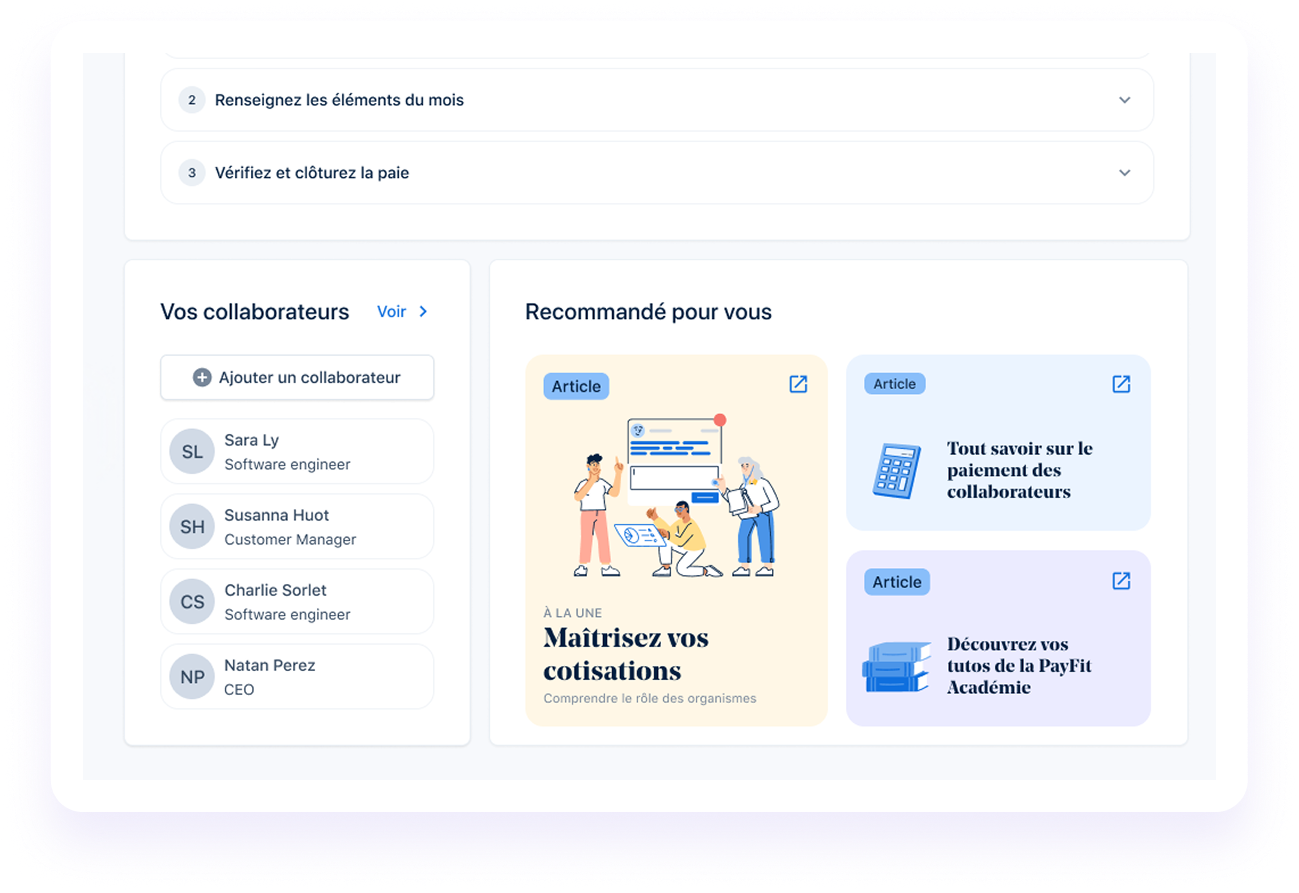
New “Recommended for you” section and the “Collaborators” module
And finally, we add some new elements to continue to accompany the users in their first steps on the app. A “Collaborators” module to view quickly and add new collaborators, and a “recommended for you” section pushing articles and/or tutorial videos about the Payroll.
Key Takeaways
- Design for the first use means removing noise and showing one clear path worked better than showing everything.
- Sketch early, iterate in low-fidelity: Quick sketches and wireframes, built with another designer, let us test a structure internally before investing in the UI.
- Pair design raises the bar: Working in tandem forced me to explain my choices and made the flow clearer.