
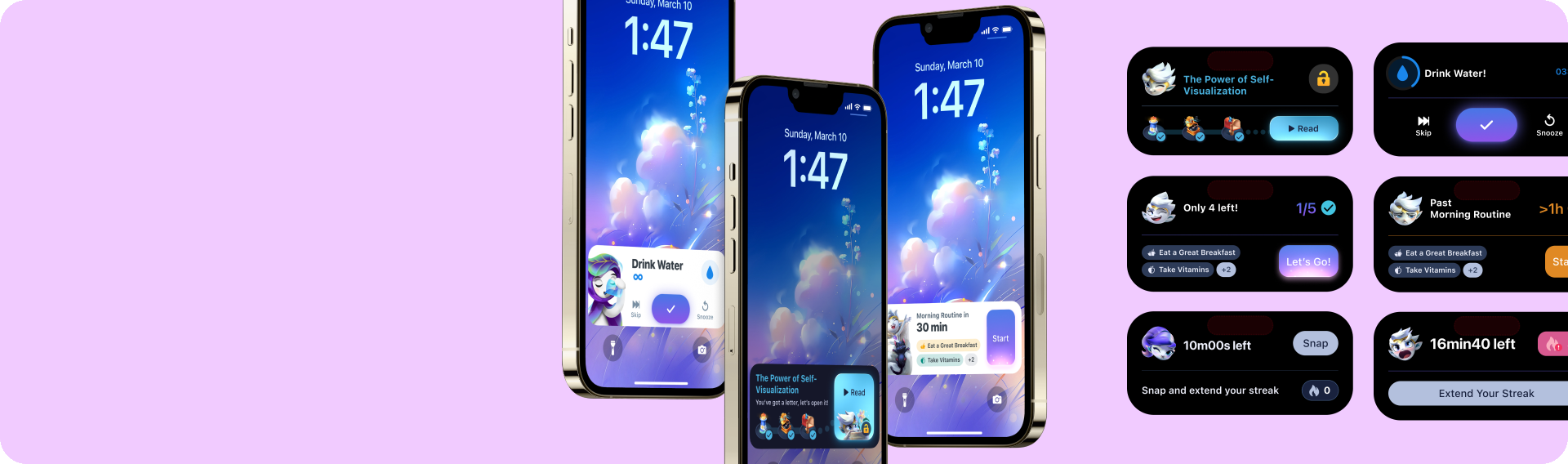
Adapting multi-apps features into
Live Activities
Challenge: Bring real-time support to the lock screen across several apps, within strict iOS constraints.
My role: Designed reusable Live Activities with the Design Team, in close collaboration with iOS devs.
Status: Handed off to dev, documented for the whole design team.
We have begun developing Live Activities within our products to enhance the user experience and provide real-time support for specific events and their progress.
Understand how it works
Before designing, it was important to understand the behaviors and the limits of this display.
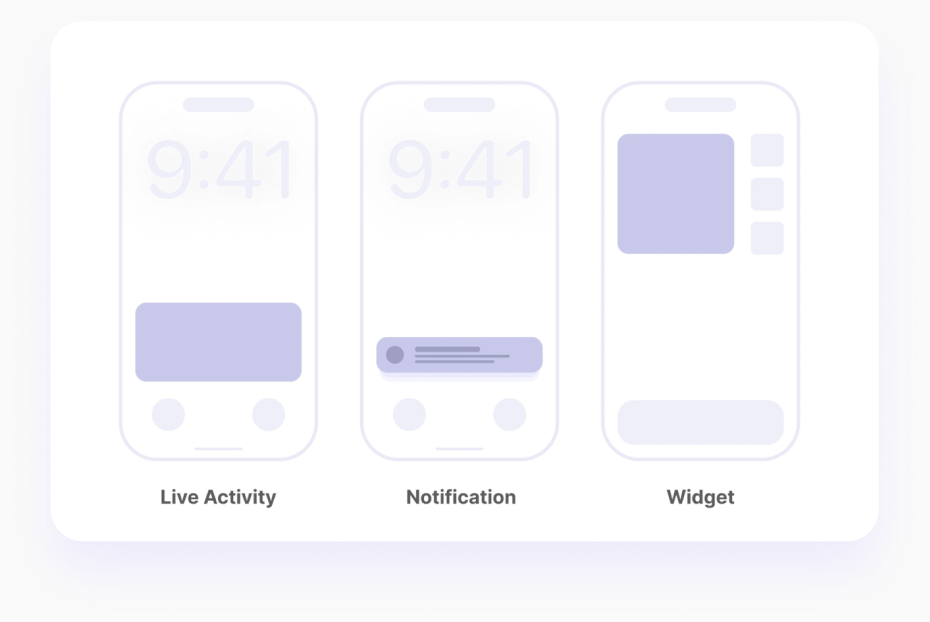
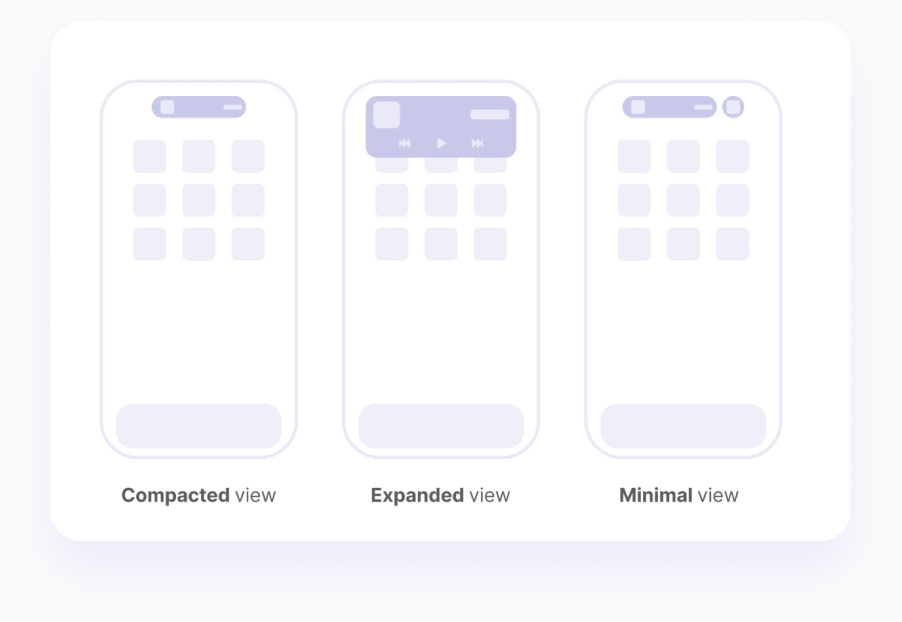
We started a strong collaboration with the iOS dev team to learn how Live Activities behave on the lock screen and in the Dynamic Island at the top of the phone. Research was carried out on both sides (design and development) so we could cross-reference the information and make decisions together.
- When it appears
- How long it stays
- When it disappears
- How many can be on screen at the same time if multiple apps are open
Then, we learned about the design constraints:
- Live Activity size (full width of the screen, max height 160pt)
- Different views of the Dynamic Island (compact and expanded views)
- Theme colors (light vs dark)
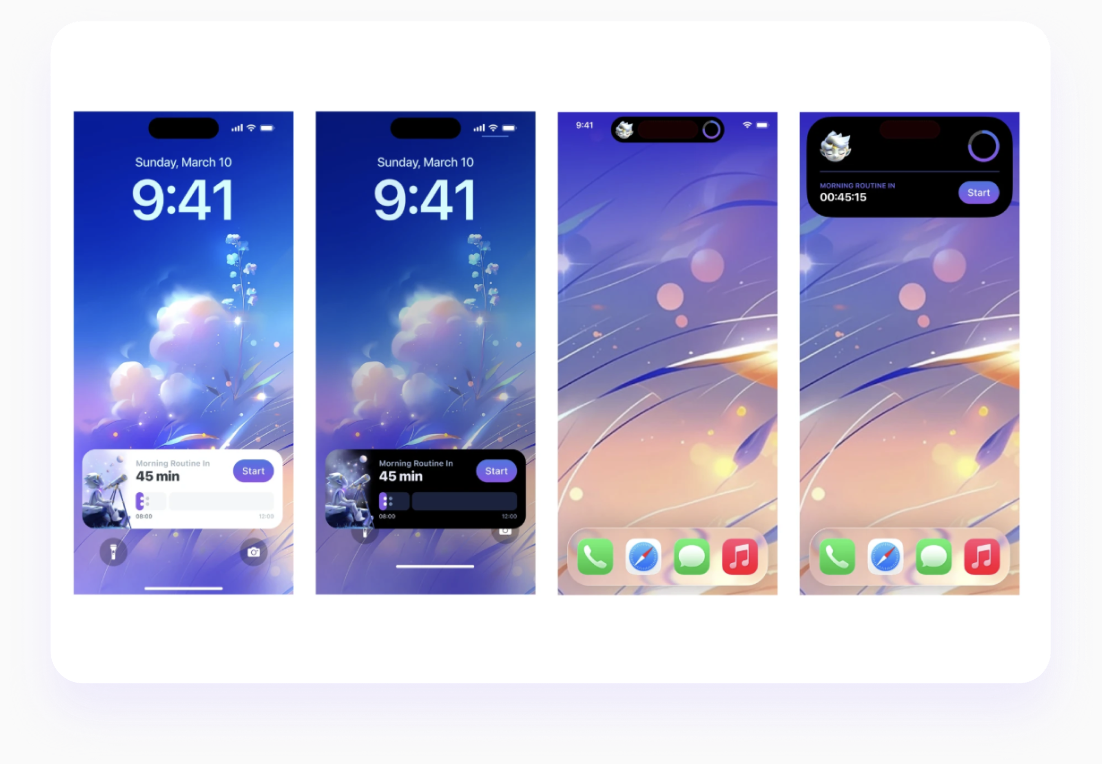
Designed a flexible, reusable component adaptable across multiple applications.
We defined some Generic Live Activities to make sure we can use them in any app. In collaboration with another designer, we designed a scalable component that adapts to Light and Dark themes and follows 2 recurrent states, Default and Warning, depending on our use cases.
These LAs share a similar layout, with placeholders that can be changed to suit the desired app.
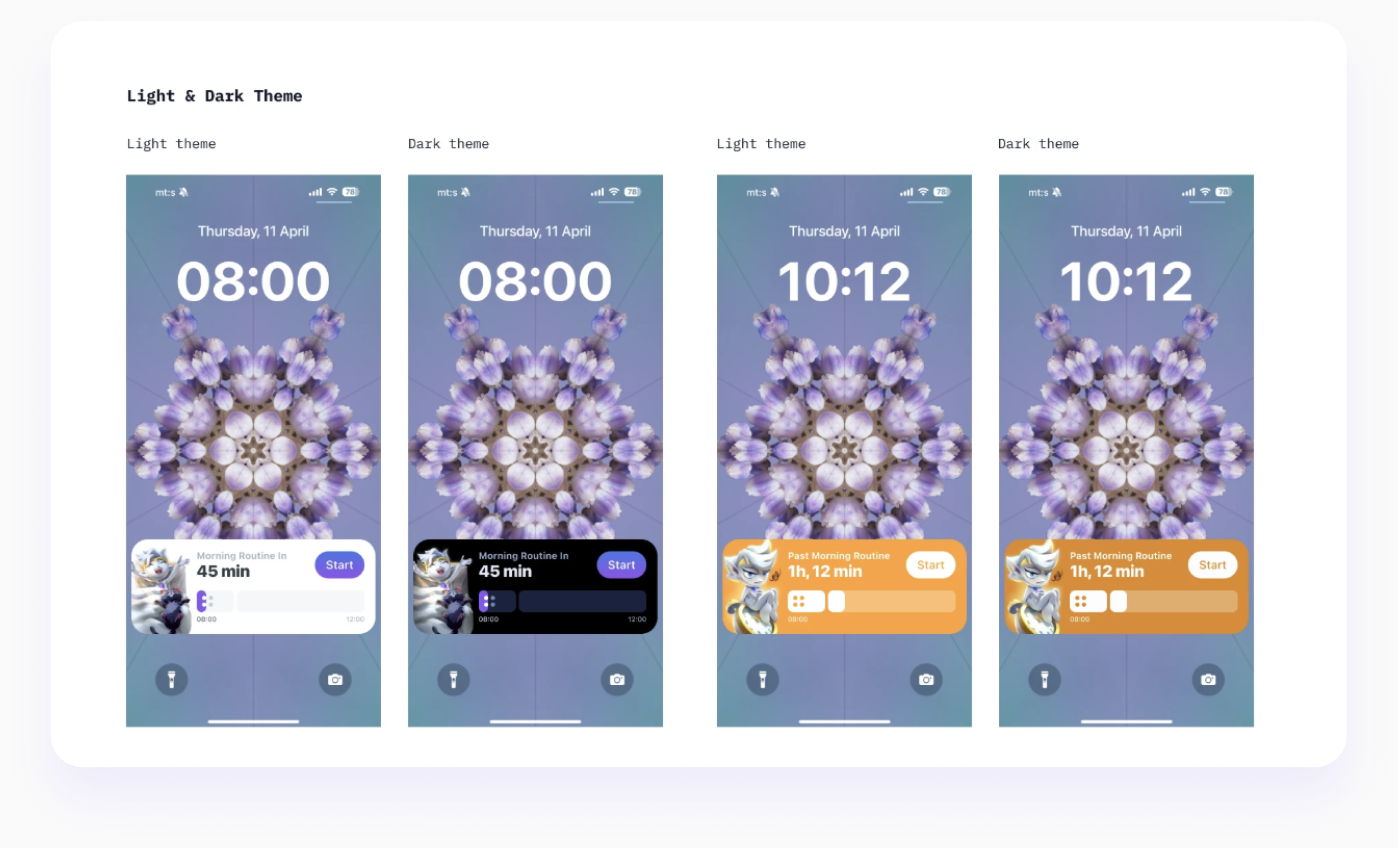
Then, with the help of the visual team, we added more delight through different mascot faces, to differentiate some features and apps:
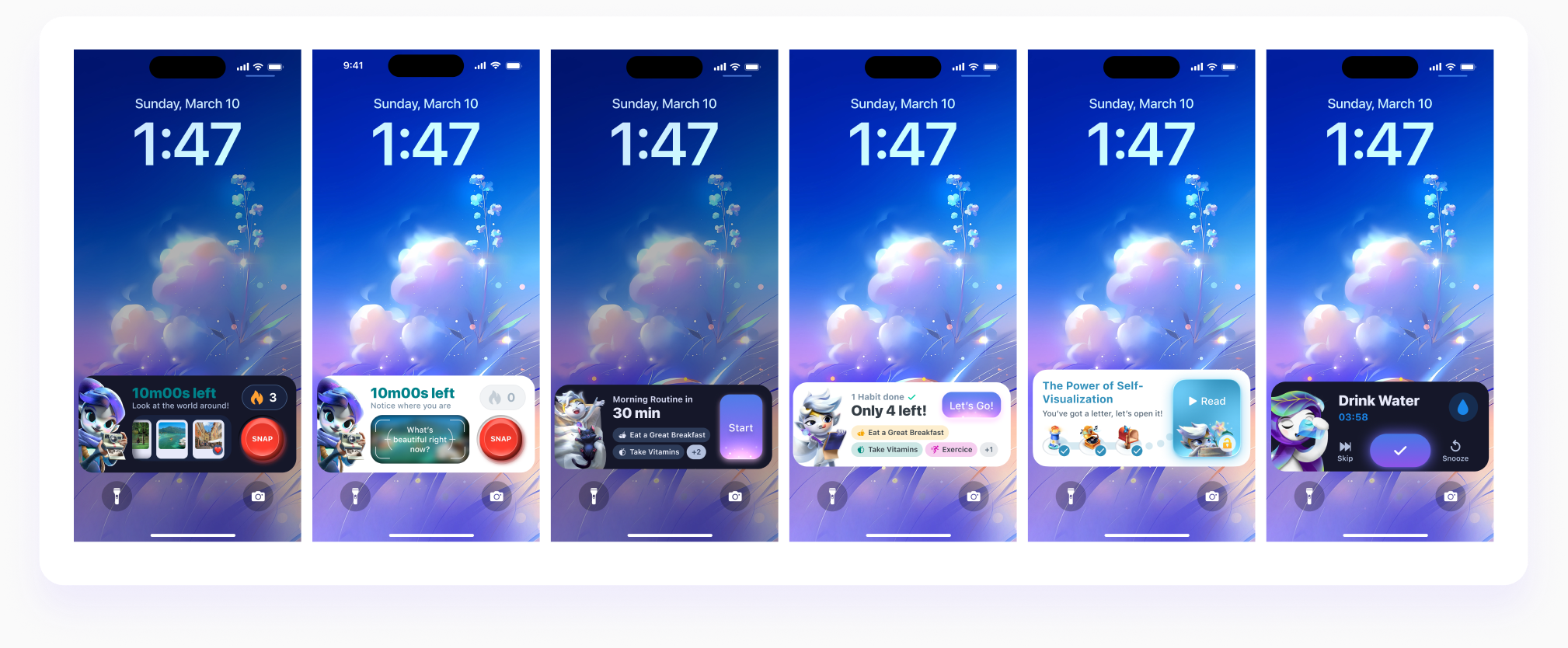
Last step is to document
With the evolution of multiple Live Activities and Dynamic Island versions, it was important to document everything for the whole Design Team (Product design, Visual and Animation). I took the initiative to create a document on Confluence (our documentation workspace) showing the overview of all the Live Activities, their differences, and the link to each independent handoff documentation.
Key Takeaways
- iOS expertise: Deepened my understanding of iOS-specific features and UI design.
- Consistency & uniqueness: Balanced cross-app consistency with each product’s distinct identity to elevate the user experience.
- Cross-functional collaboration: Worked closely with visual designers, product designers, and developers to bring the experience to life.
- Documentation & handover: Consolidated design decisions and documented key learnings to ensure a smooth handover across teams.